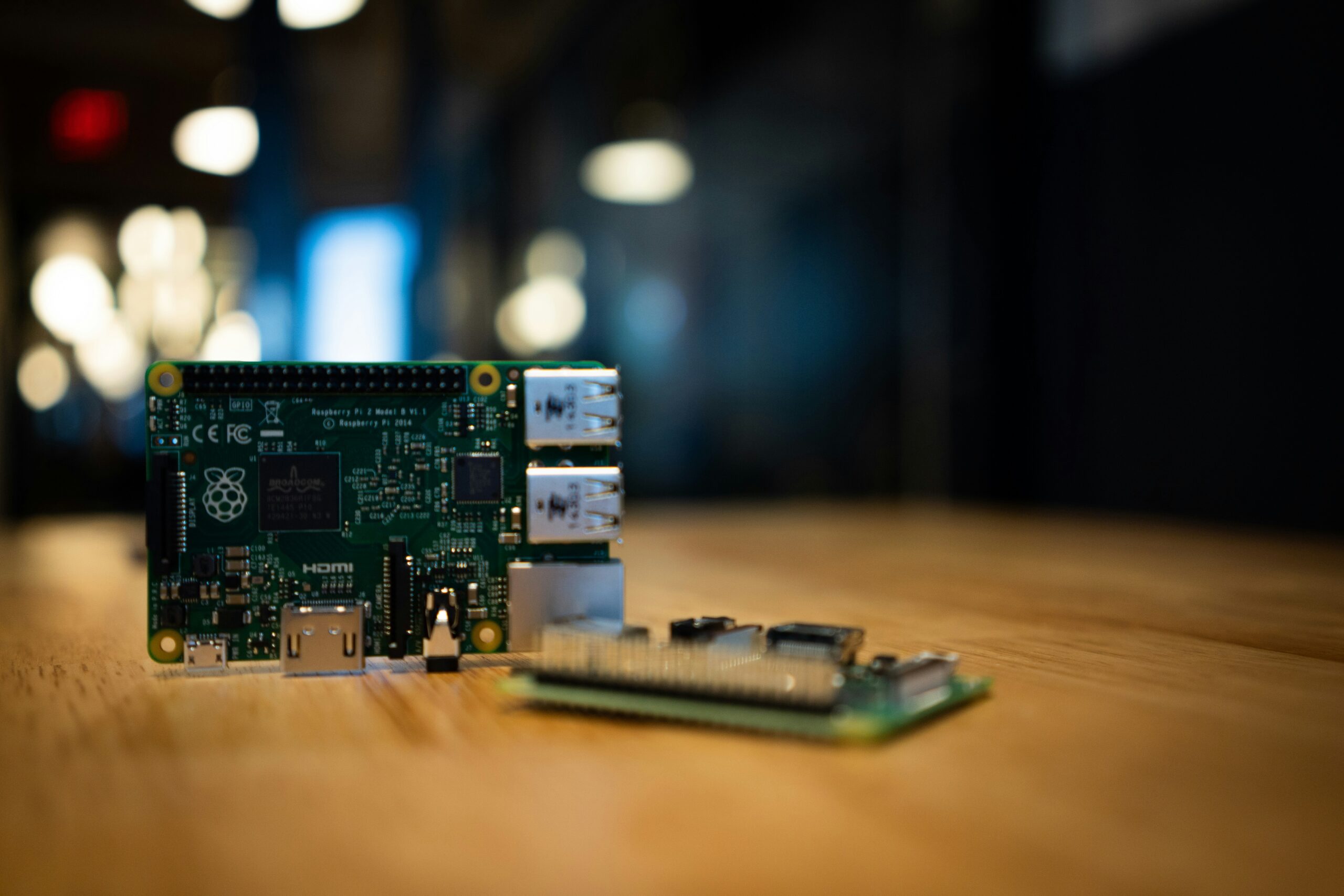
You want to start a home lab (a personal setup of servers and networking equipment used for learning and self-hosting). The two names you keep seeing are Raspberry Pi and Intel NUC. Both can run servers. Both fit in your hand. Both have devoted fans who will argue for hours about which is better.
The honest answer is that neither one is universally right. They solve different problems at different price points. Pick wrong and you either run out of horsepower fast or spend three times what you needed to.
Here are the real differences and how to decide which fits your first build.
What Each Device Actually Is
A Raspberry Pi is a small single-board computer (an entire computer built onto one circuit board the size of a credit card). The current flagship is the Raspberry Pi 5. It uses an ARM processor (a chip architecture optimized for low power consumption and commonly found in phones and tablets) and runs a customized version of Linux. You add storage with a microSD card or an SSD (solid-state drive, a fast storage device with no moving parts).
An Intel NUC (Next Unit of Computing) is a small form-factor PC made by Intel and now ASUS. It uses standard x86 processors (the same chip architecture found in most laptops and desktops) and runs essentially anything you would put on a regular computer. Windows, Linux, Proxmox (a free hypervisor that lets you run multiple operating systems on one machine), TrueNAS (a free operating system for building network storage). All of it works.
The short version: a Raspberry Pi is a tiny purpose-built computer. An Intel NUC is a full PC squeezed into a small box.
Performance: Where the Gap Really Shows
Raw performance is where these two diverge most dramatically.
A Raspberry Pi 5 with 8GB of RAM is capable for lightweight workloads. It happily runs Pi-hole (a network-wide ad blocker), Home Assistant (smart home software), a personal website, or a few Docker containers (lightweight packages of software that include everything needed to run an app). For these jobs, it is genuinely excellent.
Push beyond that and the Pi struggles. Try to run TrueNAS with multiple users, host a Plex server transcoding 4K video, or spin up a Proxmox cluster with several virtual machines (full operating systems running inside another operating system) and you will hit the ceiling fast.
An Intel NUC with a modern Core i5 or i7 and 16GB or 32GB of RAM is in another league. It can run a dozen virtual machines at once, transcode multiple video streams, and host serious storage workloads without breaking a sweat. Newer NUCs even include hardware video acceleration that makes media servers fly.
If your plan involves more than three or four self-hosted apps running at once, the NUC is the safer bet.
Price Comparison: What You Really Pay
The Pi looks cheap on the surface. A Raspberry Pi 5 with 8GB of RAM runs around $80. That feels like a steal until you add the rest.
You need a power supply ($15), a microSD card or SSD ($20 to $60), an active cooler since the Pi 5 throttles without one ($10 to $20), and a case ($10 to $25). A complete reliable Pi setup lands at $130 to $200.
An Intel NUC starts higher. A new barebones kit (the unit without RAM or storage) runs $300 to $600. Add RAM ($40 to $100) and an NVMe SSD (a fast modern storage drive, $40 to $150) and a complete new build lands between $400 and $850.
Here is the catch: the used market is your friend. Older NUCs with 8th, 10th, or 11th generation Intel chips show up on eBay constantly for $150 to $300. A used NUC often costs the same as a fully kitted Pi 5 and delivers three to four times the performance.
Power Consumption and Running Costs
Power consumption matters when your server runs 24/7.
A Raspberry Pi 5 under typical load draws 5 to 8 watts. Over a year, that works out to $10 to $15 in electricity at average US rates. Practically free.
An Intel NUC under typical load draws 15 to 30 watts depending on the model. That is $30 to $70 per year. Still cheap, but several times the Pi.
For most people, the difference is small enough to ignore. If you live somewhere with expensive electricity, or plan to run multiple machines, the Pi’s efficiency starts to add up.
Both devices are silent or near-silent. The Pi is fanless or uses a tiny fan you can barely hear. Most NUCs have small internal fans that produce a low hum under load.
Which One Is Right for Your First Home Lab?
Pick a Raspberry Pi if you want to learn the basics, run a handful of lightweight services, and keep costs and power use minimal. The Pi is also better for projects that benefit from the GPIO pins (general-purpose input/output pins, electrical connections that let you wire the Pi to sensors and other hardware). Smart home tinkering, weather stations, and small monitoring projects all play to the Pi’s strengths.
Pick an Intel NUC if you want real virtualization with Proxmox, a serious media library, a network storage box with TrueNAS, or multiple Docker stacks at once. The NUC handles growth gracefully. You can pile on services for years before you need to upgrade.
For many beginners, the smartest move is starting with a used NUC from eBay for around $200. It gives you room to learn without immediately outgrowing your hardware. If you later want a small dedicated machine for a single purpose, add a Pi alongside it. Many home labs eventually run both.
Frequently Asked Questions
Can a Raspberry Pi really run a home server? Yes, for the right workloads. A Pi 5 handles ad blocking, smart home automation, small file sharing, and a modest stack of Docker containers without issue. It struggles with heavy virtualization and large media libraries.
Can I run Proxmox on a Raspberry Pi? Not officially. Proxmox is built for x86 hardware. Community ports for ARM exist but are unstable and not recommended for beginners. If Proxmox is your goal, get an Intel NUC.
Is a used Intel NUC a good first home lab purchase? Absolutely. A used NUC with 16GB of RAM and a 256GB SSD for around $200 is one of the best values in home lab hardware. Look for 10th generation or newer Intel chips for the best balance of performance and efficiency.
Can I use a Raspberry Pi as a NAS? You can, but with limits. The Pi 5 supports faster storage than older models, but still falls short of a dedicated NAS or a NUC running TrueNAS. Fine for personal documents and photos. Look elsewhere for media libraries or multi-user shares.
Build the Home Lab That Fits Your Goals
Both the Raspberry Pi and the Intel NUC can be the foundation of an excellent home lab. The Pi wins on price, power efficiency, and simplicity. The NUC wins on raw capability and future flexibility. Match the hardware to what you actually plan to do.
For more options, our guide to the best mini PCs for a home lab covers NUC alternatives that are often cheaper and just as capable. Once your hardware is picked, learn what Docker is so you can deploy services cleanly. And when you are ready to run multiple operating systems on one box, our walkthrough on how to set up Proxmox is the next logical step.
Pick the box that fits your goals and get something running this weekend. The lab grows from there.