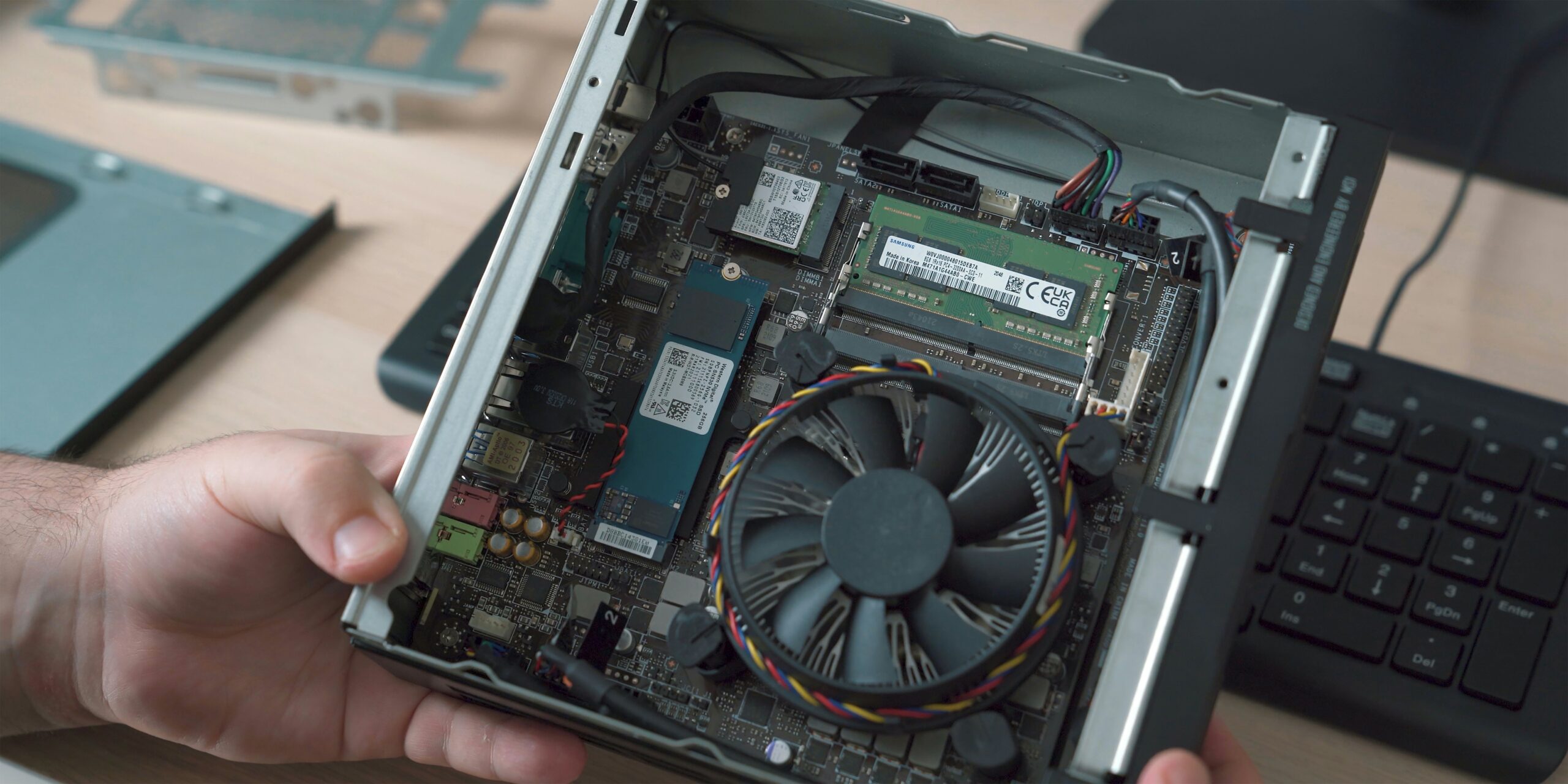
A home lab used to mean a loud, bulky computer crammed in a closet, guzzling electricity. Those days are over. Today’s mini PCs (small, compact computers roughly the size of a paperback book) can run an entire self-hosted setup while sipping less power than a light bulb.
This article contains affiliate links. If you purchase through our links we may earn a small commission at no extra cost to you.
This guide tells you exactly what to buy based on what you actually want to do. No guesswork required.
What Makes a Mini PC Good for a Home Lab?
Not every small computer works well as a home lab. Here’s what separates a good pick from a regrettable one.
RAM (your computer’s short-term memory that determines how many tasks it can juggle at once) expandability is the single most important factor. Many cheap mini PCs have their RAM permanently attached to the board, meaning you can never add more. Look for models with SO-DIMM slots (small removable memory sticks you can swap or upgrade later). Starting with 16 GB is fine, but you want the option to grow to 32 or 64 GB when your projects expand.
Storage flexibility matters too. A single M.2 slot (a small internal slot where a fast solid-state drive plugs directly into the board) limits your options. Two M.2 slots, or one M.2 plus a 2.5-inch drive bay, gives you room to breathe.
Power consumption affects your yearly cost. A mini PC drawing 15 watts at idle versus 35 watts adds up to roughly $18 per year in difference. Not dramatic, but worth noting if you plan to run it nonstop.
Finally, pay attention to the CPU (the processor, your computer’s brain that handles all the actual computing). A current-generation processor will handle more tasks more efficiently and use less electricity doing it.
The Best New Mini PCs for Home Labs in 2026
Here are the models worth your money right now.
The Beelink EQ12 Pro is the best entry-level pick. It runs an Intel N100 processor, which sounds modest but handles beginner home lab tasks surprisingly well while drawing only about 6 watts. It ships with 16 GB of RAM and a 500 GB SSD (solid-state drive, a fast storage device with no moving parts), and the RAM is upgradeable. If you want to run Proxmox (a free program that lets you create and manage multiple virtual computers on one physical machine) with a few containers and a lightweight VM (virtual machine, a simulated computer running inside your real computer), this is all you need. Price sits around $170 to $200.
The MinisForum UM790 Pro is the step-up choice. It runs a powerful AMD Ryzen 9 processor, supports up to 64 GB of RAM, and has two M.2 slots. If you want to run several virtual machines at once, do local AI experiments, or transcode video (convert video files from one format to another on the fly), this handles it. Expect to pay $400 to $500.
The MinisForum MS-01 is a specialist pick for anyone building a home network setup. It includes multiple high-speed ethernet ports built in, making it ideal for running pfSense or OPNsense (free software that turns a computer into a powerful home firewall and router). If networking is your main interest, this one is purpose-built for it.
Intel NUC: Still Worth It?
Intel sold its NUC (Next Unit of Computing) line to ASUS in 2023, but the hardware remains solid. NUCs are well-built, thermally reliable, and backed by years of community guides. If you run into a problem, someone has almost certainly solved it already.
The trade-off is price. NUCs cost more than comparable Beelink or MinisForum units. You’re paying for proven reliability and a massive support ecosystem. Whether that’s worth it depends on how much you value peace of mind versus savings.
What About Refurbished Enterprise Hardware?
This is where the best value in home lab computing quietly lives, and most guides skip right past it.
When large companies upgrade their office computers every few years, thousands of business-grade mini PCs hit the resale market. These machines were built to higher standards than consumer hardware, maintained by professional IT teams, and sold for a fraction of their original price.
Dell OptiPlex Micro and Lenovo ThinkCentre Tiny units are the most common finds. A Dell OptiPlex 7080 Micro with a capable Intel Core i5 processor, 16 GB of RAM, and a 256 GB SSD regularly shows up for $120 to $180. That’s a machine that originally cost $900, at a price that undercuts most new budget mini PCs.
These business machines also support vPro and AMT (remote management features that let you restart the computer from another device, even when the operating system has frozen). Consumer mini PCs don’t offer that.
The one real concern is warranty. You’ll typically get 90 days from the seller instead of a year or two. Buy from reputable sources like Newegg Renewed or established eBay sellers with strong ratings and you’ll minimize the risk.
For a first home lab on a tight budget, a refurbished business mini PC is often the smartest starting point available.
Which Mini PC Should You Choose?
It comes down to what you plan to do.
For a first home lab on a budget, grab a refurbished Dell OptiPlex Micro or Lenovo ThinkCentre Tiny. Spend the savings on extra RAM or a bigger SSD.
For a first home lab buying new, the Beelink EQ12 Pro is the easiest recommendation. It’s cheap, efficient, and capable enough to learn on without worry.
For a more serious setup with multiple virtual machines and heavier workloads, the MinisForum UM790 Pro gives you real room to grow with its 64 GB RAM ceiling and fast processor.
For a home firewall or network project, the MinisForum MS-01 is built specifically for that job and hard to beat at the price.
Frequently Asked Questions
How much RAM do I need?
16 GB gets you started comfortably. You can run a few lightweight virtual machines and a handful of Docker containers (small, self-contained apps that each do one specific job) without running out. 32 GB is better if you plan to run many things at once. 64 GB is for heavy use like local AI models. Buy a machine with upgradeable RAM so you can start small and grow.
Can a mini PC run TrueNAS?
Yes, but with a caveat. TrueNAS (a free operating system designed specifically for managing storage) prefers drives plugged directly into the board, and most mini PCs only have one or two internal slots. For a basic two-drive setup, that works fine. For a larger storage server, dedicated NAS hardware is a better foundation.
Is a mini PC better than a Raspberry Pi for a home lab?
A Raspberry Pi (a tiny, credit-card-sized computer costing around $125) is great for learning and light tasks. A mini PC costs more but offers significantly more power and broader software compatibility. Start with a Pi if budget is tight. Move to a mini PC when you outgrow it.
Do mini PCs run loud?
Most are nearly silent at idle and only get audible under heavy, sustained workloads. For a home office or living room, noise is almost never an issue.
The Bottom Line
Mini PCs have made home labs accessible in a way that wasn’t possible even a few years ago. No dedicated room. No loud server rack. No scary electricity bill. A single well-chosen mini PC handles virtualization, containers, network services, and media streaming all at once, from something you can hold in one hand.
Buy new if you want the latest efficiency. Buy refurbished if you want the best bang for your dollar. Either way, the hardware is the easy part now. The fun part is deciding what to build on it.